
Shoo Swipe your gallery clean Free photo cleaner for iPhone & Android
Shoo is a free app that helps you clean up your photo and video gallery with swipes. Keep, delete, favorite or add to an album with one gesture, review everything before it’s deleted, and free up space. It works offline, with no accounts and no ads.



iPhone version coming soon.

Highlights
-
No internet
Works fully offline
-
On your phone
Nothing is uploaded
-
100% private
No accounts, analytics, ads or tracking
-
Free
No subscriptions or in-app purchases
Delete photos with a swipe: four directions, four actions
Left, right, up and down each do what you choose: keep, delete, add to favorites or add to an album. Made a mistake? Undo brings swipes back one by one.
Every direction is yours to set
- Keep
- Delete
- Favorite
- Any album
Change what any swipe does in Settings.
How swipes workReview the delete queue before anything is deleted
Swipes only add photos to a queue. Open it as a grid, tap any item to see it full screen, restore it or delete just that one, then delete the rest at once.
-
iPhone
iOS asks you to confirm. Deleted items stay in Recently Deleted for 30 days; the space frees up once that album is emptied.
-
Android
On Android, Shoo deletes permanently, without a trash. It asks you to confirm first, and on Android 11+ the system asks too.
Take a look
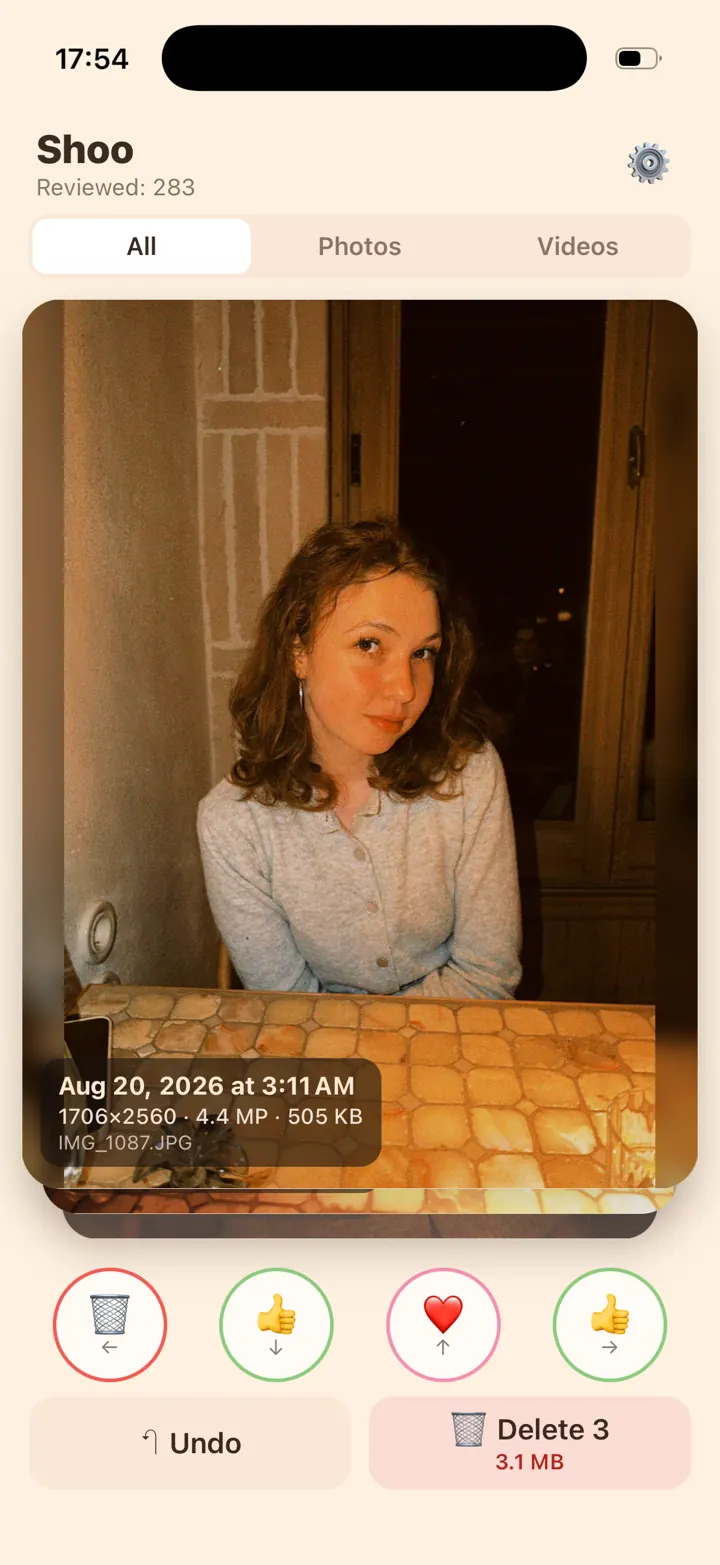
Swipe through photos and videos
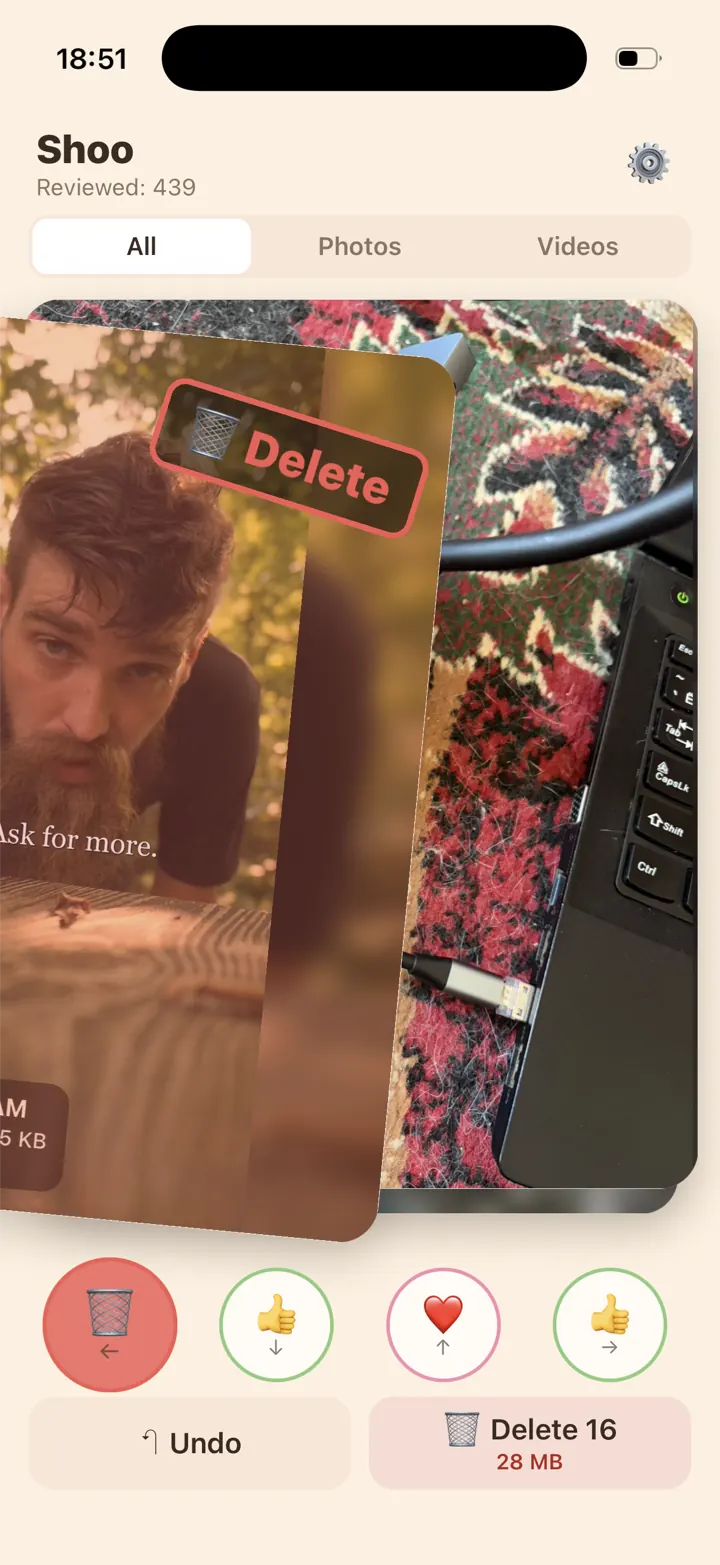
Left to delete
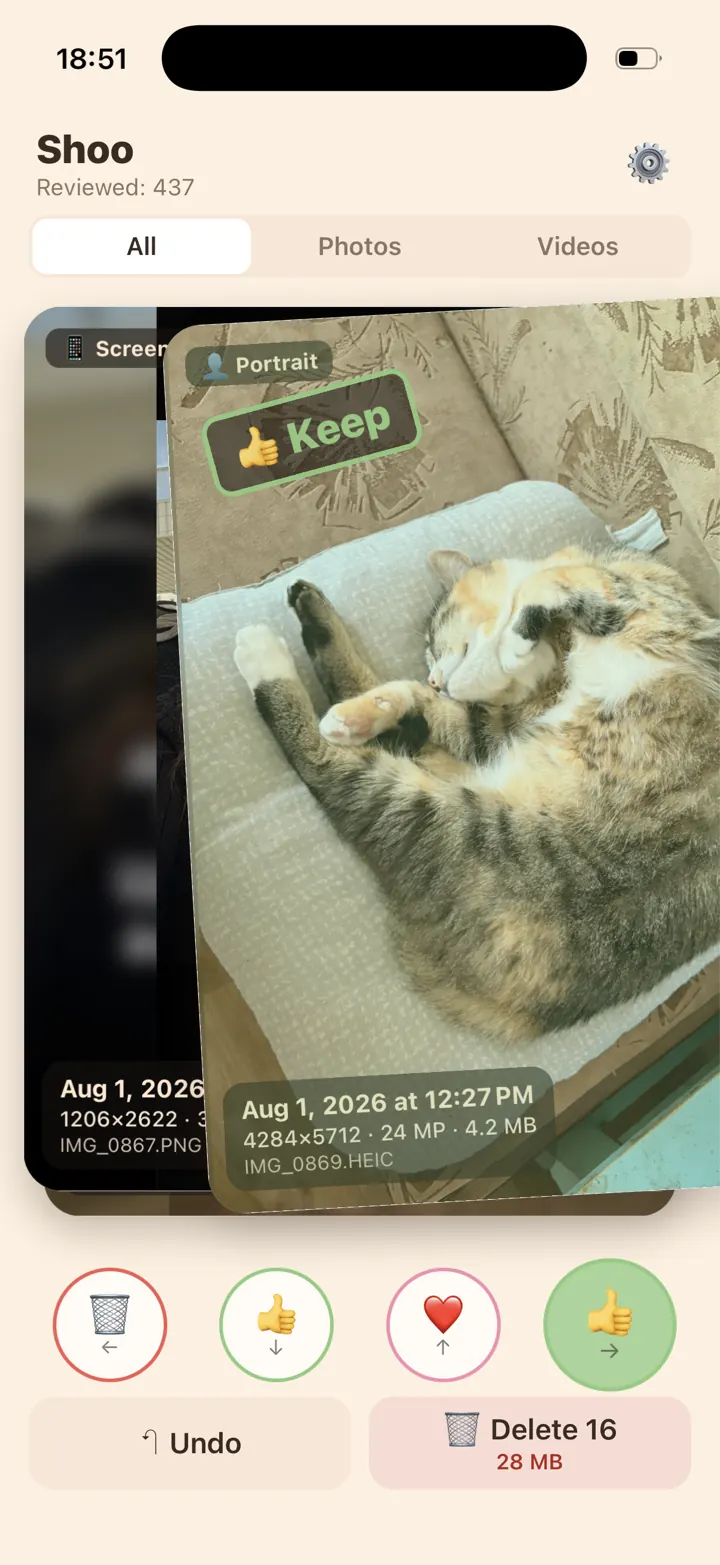
Right to keep
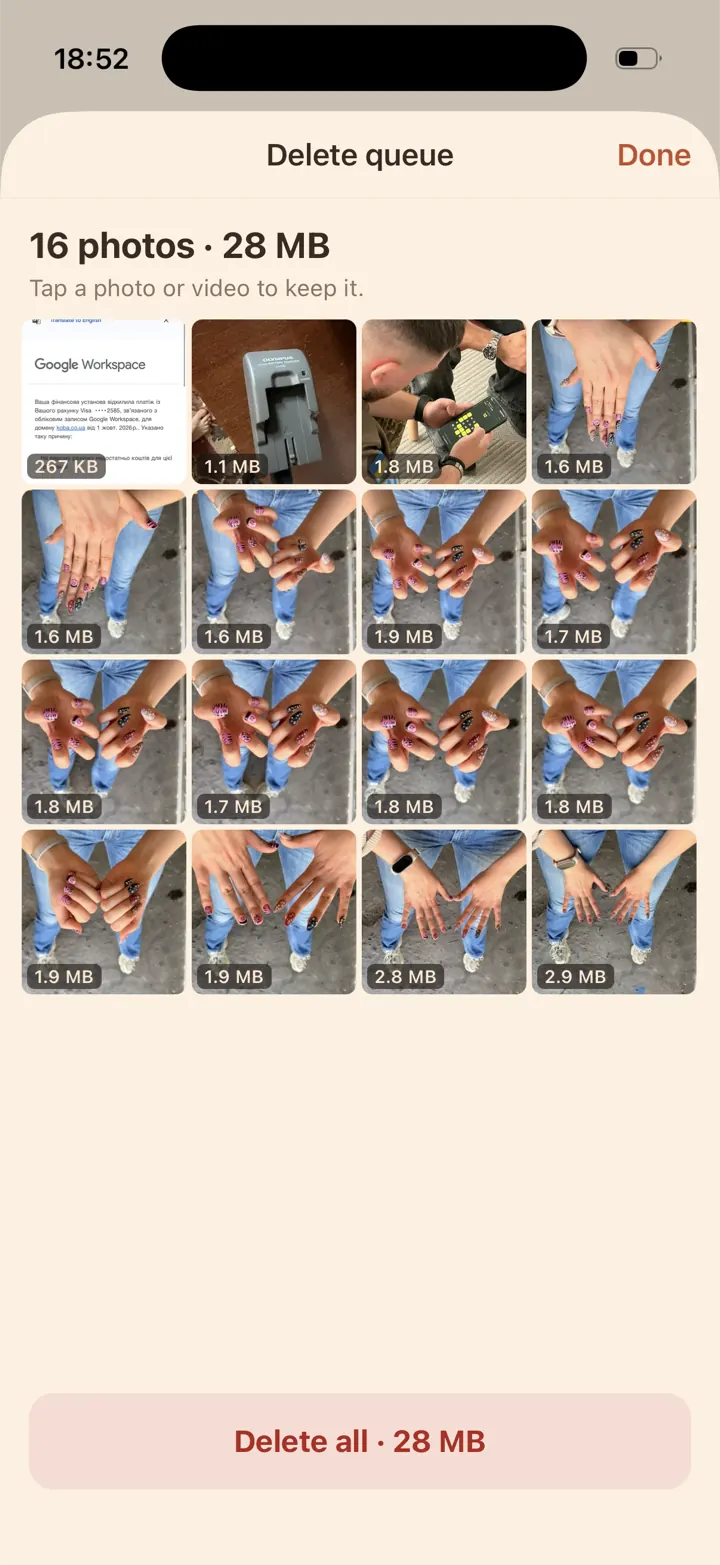
Review before you delete
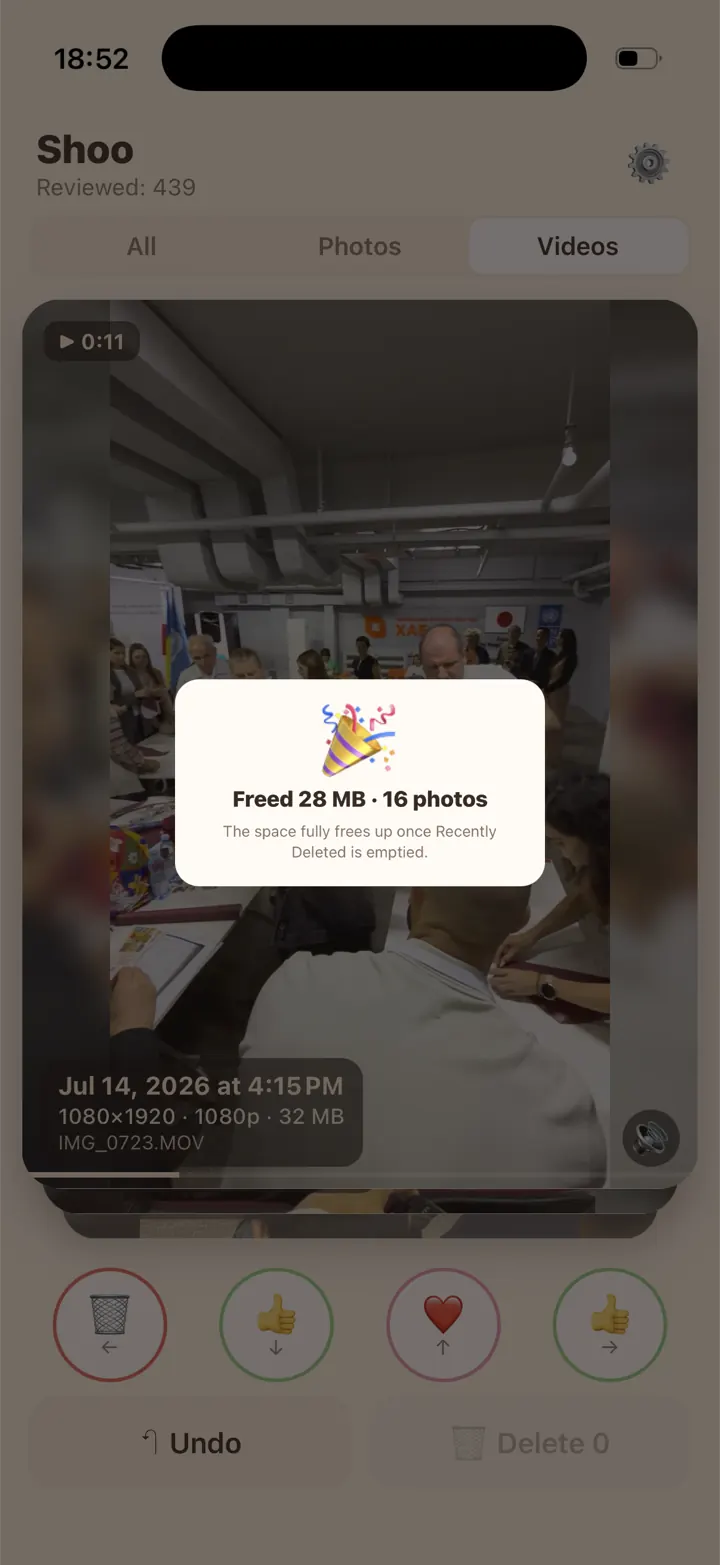
See the space you free
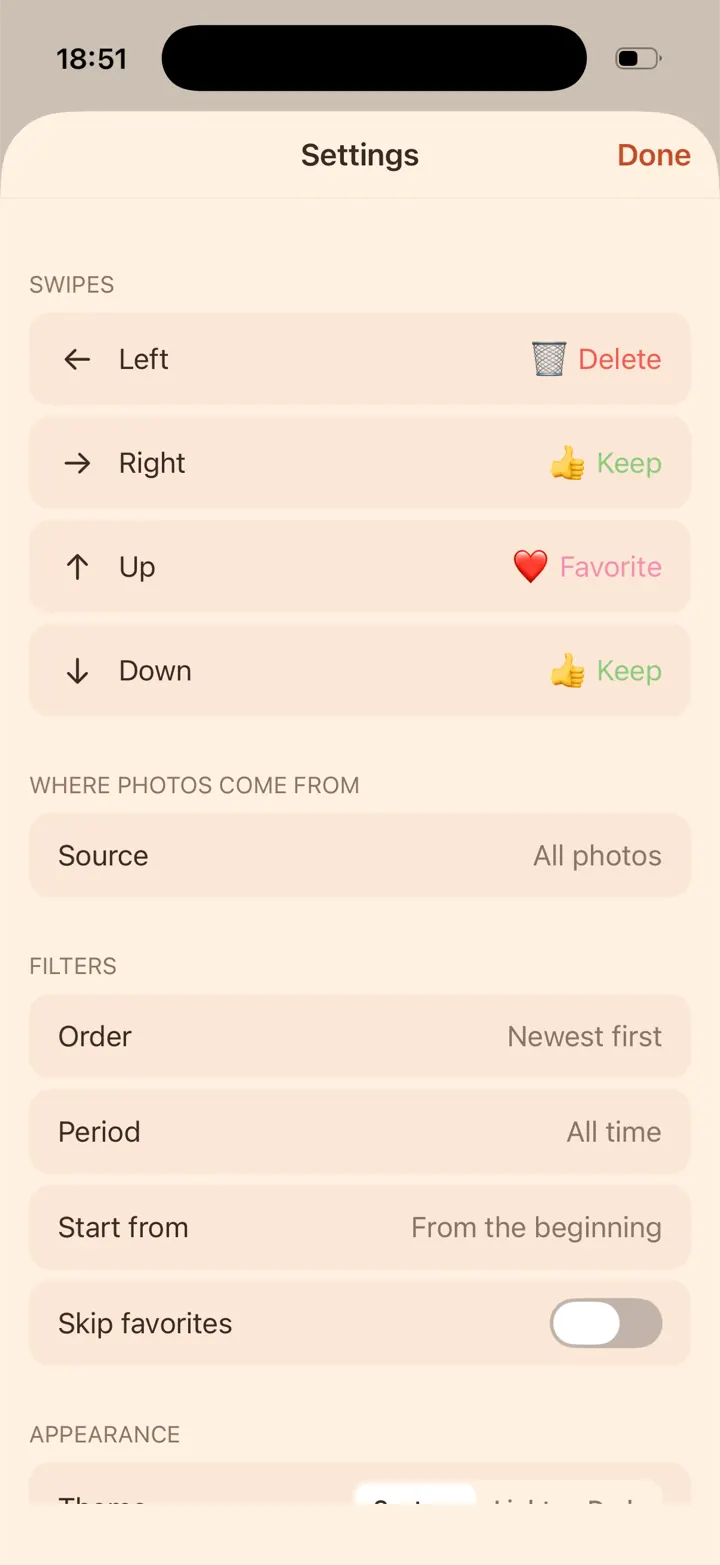
Make every swipe yours
Clean up by album, month, screenshots or longest videos
- Any sourceYour whole library, any album, iOS system albums like Screenshots, Selfies and Videos, or folders on Android.
- SortNewest first, oldest first, or longest videos first.
- PeriodA specific month, older than 30 days, or new since last session.
- Start from any monthJump straight to a month instead of starting from the very beginning.
- Favorites protectionSkip favorites, plus a warning before deleting one.
- Zoom and scrubbingPinch to zoom into photos and scrub through videos right on the card.
- Space-freed statsSee how much space you’ve freed so far.
- Light and dark themesOr follow the system.
- English and UkrainianSwitch the language in Settings.
On Android, date filters use the capture date, so items without one (often screenshots and saved files) aren’t included. iOS system albums and adding to albums need full photo access. Favorites on Android need Android 11 or newer.
Enjoying Shoo?
Shoo is free and has no ads. If it helped you, you can support its development. Even a cup of coffee keeps us going.
Ways to support will appear here very soon.
Thank you for being here!
Shoo at a glance
- Price
- Free, no in-app purchases, no ads
- Platforms
- iPhone (App Store) · Android (Google Play)
- Works offline
- Yes
- Account needed
- No
- Data collected
- None
- Deleted items
- iPhone: Recently Deleted for 30 days · Android: permanent
- Languages
- English, Ukrainian
- Made by
- Onesse Studio · KOBA KORP LLC, Rivne, Ukraine
Guides: free up space on your phone
How to delete lots of photos on iPhone quickly
Drag to select, Select All in albums, then empty Recently Deleted.How to free up space on Android by cleaning photos and videos
What takes the space, the Google Photos and Gallery trash, old videos by folder.Phone storage full? Delete these photos and videos first
Long videos first, then screenshots, repeats and forgotten months.How to delete screenshots on iPhone and Android
All at once or only the old ones: the Screenshots album and folder.How to clean up your camera roll (and keep it that way)
Month by month, favorites first, then five minutes on new photos.How to delete duplicate photos on iPhone and Android
Built-in duplicate finders on iPhone, Samsung and Files by Google, then similar shots by swiping.iCloud storage full? How to free up space
See what uses space, then photos and videos, old backups and Messages attachments.How to delete photos from your phone but keep them in iCloud or Google Photos
iCloud Photos on iPhone, Google Photos on Android: free up the phone without losing the cloud copy.How to stop Viber, Telegram and WhatsApp filling your gallery
Turn off auto-save in Viber, Telegram and WhatsApp, then clear what’s already saved.
Questions
Is Shoo really free?
Yes. No subscriptions, ads or in-app purchases.
Does Shoo upload my photos?
No. It has no servers and works offline: Shoo never uploads your photos or videos anywhere.
Can I undo a swipe or restore a photo?
Yes: Undo brings swipes back, and you can restore any photo from the queue before deleting. On iPhone, deleted items stay in Recently Deleted for 30 days; on Android, deletion is permanent.
Is Shoo on iPhone?
Yes. Shoo is on the App Store for iPhone and on Google Play for Android.
Does Shoo find duplicates or blurry photos?
No. You decide photo by photo, and filters help you start where it matters: a month, your screenshots or the longest videos.